
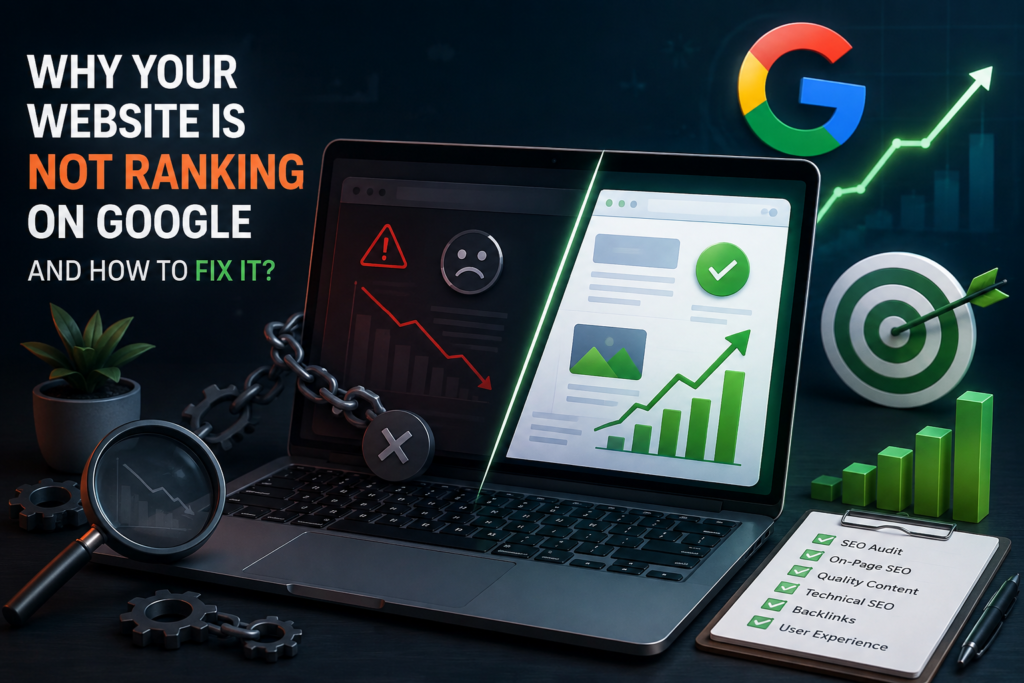
Why Are People Not Finding Your Website on Google?

Getting a website online feels like a big step. But the real challenge starts when people cannot find it on Google. You may have published useful pages, added your services, and worked on your design. Still, your traffic may remain low.
If your website is not ranking on Google, you may wonder what went wrong. The problem does not always mean you need more content. Google may not have indexed some pages. Your site may also have technical problems, slow pages, or content that does not fully answer what people search for.
The good news is that you can check many of these issues yourself. Start with the basics, fix the biggest problems first, and then track your progress.
There Are Different Reasons That Your Website Is Not Ranking on Google?
Several issues can keep your pages from appearing high in search results. Finding the right cause saves you from making random changes.
First, check whether Google has indexed your important pages. Google indexing issues can prevent a page from appearing in search results even when the page works normally for visitors.
Your content also needs to match what people want. For example, someone searching for an SEO audit may want a professional review of their website. Someone searching for a simple SEO problem may want a step-by-step guide. If your page answers the wrong need, it may struggle to attract the right visitors.
Technical SEO issues can create another barrier. Broken links, slow pages, poor mobile layouts, and incorrect redirects can affect the experience you provide.
Competition matters too. Other websites may offer clearer answers, better examples, stronger evidence, or a more useful experience.
| Problem | What You May Notice | What You Should Check |
| Page not indexed | Your page does not appear on Google | Google Search Console |
| Slow pages | Visitors wait for the page to load | Website speed |
| Mobile Issues | The page looks difficult to look on phones. | Mobile layout |
| Broken Links | Some links lead to nowhere | Internal links |
| Weak Content | Visitors cannot find useful answers. | Search Intent |
How to Check If Google Has Indexed Your Website
Before changing your content, make sure Google can access your pages.
Start with Google Search Console. Open the URL Inspection tool and enter an important page from your website. The tool can show whether Google has indexed the URL and whether it found an issue.
Focus on the most important pages. These may include your homepage, service pages, product pages, and key articles.
Next, review your robots.txt file. This file gives search engines instructions about which areas they can access. A small mistake can prevent important pages from being crawled.
If you want to know how to check if Google indexed my website, Search Console gives you a simple starting point. You can inspect individual URLs instead of guessing whether Google has found them.
Do not assume that every page needs to rank. Focus on useful pages that deserve search visibility.
Improve Your Website Speed and Mobile Experience
Your visitors do not want to wait for a page to load. They also do not want to struggle with a website on their phone.
Start by testing important pages with Google’s PageSpeed Insights. Look for pages that load slowly and identify the main causes.
Large images often create unnecessary delays. Compress them before uploading them. Choose an appropriate image format and avoid using files that are much larger than the space they occupy.
Your website speed also matters when visitors move between pages. A fast site creates a smoother experience and helps users reach important information without frustration.
Then test your site on a real phone. Make sure your website remains mobile-friendly. Check the menu, buttons, forms, images, and text. Visitors should not need to zoom or scroll sideways.
A better experience can also help your business. When visitors can find information quickly, they have a better chance of contacting you, requesting a quote, or making a purchase.
Fix Common Technical SEO Problems
Small technical issues can become serious when they affect important pages.
Start with broken links: Click the links across your main pages and make sure they lead to the right destinations. Replace outdated links when necessary.
Next, review 404 pages: A 404 error usually appears when someone requests a page that no longer exists. Do not send every missing URL to your homepage.
Check your redirects as well: A visitor should reach the correct page without passing through several unnecessary redirects.
Your site should also use HTTPS: Check that your important pages load securely and that users do not see security warnings.
If you are unsure how to fix technical SEO issues, start with the pages that bring business value. Fixing important problems first gives you a clearer path forward.
Improve Your Content Instead of Adding More Content
Publishing more articles will not automatically solve low organic traffic. Sometimes your existing pages need more attention.
Start by checking the search behind each page. Ask yourself what the visitor actually wants. Then make sure your content gives a clear answer.
You should also review older pages. Update outdated facts, examples, links, and service information. If the topic has changed, bring the page up to date.
Add information that comes from real experience. You can include examples from your work, original observations, case studies, screenshots, or a clear explanation of your process.
A strong SEO strategy should focus on helping people first. When your content solves a real problem, it has a better chance of earning attention and useful traffic.
Build Trust With Better On-Page SEO
Your page should make sense to both visitors and search engines.
Start with a clear page title. Tell people what they will find on the page. Avoid adding several similar phrases just to target more searches.
Use headings to organize your ideas. A visitor should be able to scan the page and understand its main points quickly.
On-page SEO also includes useful internal links. Link to related pages when the connection makes sense. For example, an article about ranking problems can naturally link to a detailed SEO audit service.
Your website should also tell visitors who you are. Keep your About page, contact information, and business details clear and easy to find.
What to Do If Your Website Still Has Low Organic Traffic
If your organic search traffic remains low after your first checks, take a step back.
Start by reviewing your most important pages. Confirm that Google can access them. Look for indexing problems and technical errors.
Then review the content. Does each page answer a real question? Does it provide enough value compared with competing pages?
If you want to know how to increase organic traffic, focus on useful improvements rather than quick tricks. Improve pages that already have potential. Update weak content. Fix technical barriers. Strengthen internal links.
SEO takes time. Focus on steady improvements instead of looking for a quick trick.
When Should You Get Professional SEO Help?
Many simple checks can be performed by you. But there are some sites that require more in-depth investigation.
If you are unable to pinpoint the issue or have a large website or if traffic has dropped suddenly, consider a professional SEO audit. An update in the design, domain, or large-scale content change can also cause problems that are hard to understand from a perspective.
A professional SEO service can audit your technical structure, content, internal links, competitors, and search performance. It should also tell you what to repair first.
Find an SEO service provider with transparent reporting and viable suggestions. Stay away from people who promise to get you a high ranking on the first page. No real SEO pro can determine Google’s rankings.
Frequently Asked Questions
How many days does it take a new website to rank on Google?
No set time frame. It takes time to establish the visibility and trust of a new website. Progress can be influenced by: competition, content quality, website history, or the topic.
Does domain name change impact Google rankings?
Yes. If you do not make the domain change correctly, your search visibility will be impacted. You should do this in a proper way and ensure that Google is able to recognize your pages’ new location.
Does Google rank every page on a website?
No. Google does not need to index or rank every page. It chooses which pages to include based on factors such as usefulness, accessibility, and relevance.
Is Organic Traffic Affected by Seasonal Shifts?
Yes. The demand for search changes in each season of the year. But it isn’t always a sign that your SEO efforts have failed. Be sure to benchmark current performance against past performance before making huge decisions.
Conclusion
If your website fails to show up on Google, do not publish more content or change everything that you have published. Determine the problem first.
Indexing, important technical problems, speed improvement, content review, and making your pages usable. Then track your results and continually improve.
Once you have done everything mentioned above and still cannot determine the problem, an SEO audit can provide you with some direction. The correct method is geared towards solving actual issues and also producing a far better experience for your visitors.